Showing posts with label pad. Show all posts

Wednesday, 30 August 2017

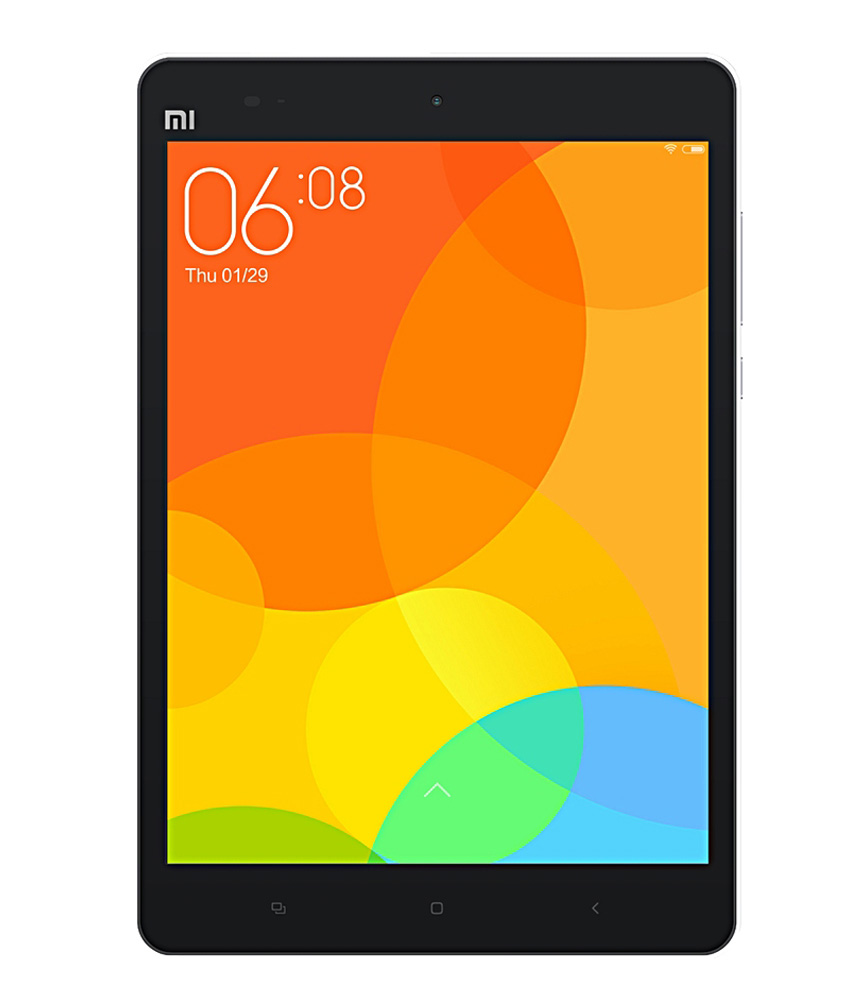
Xiaomi Mi Pad 7 9 V6 7 3 0 Android 4 4 2 Firmware Flash File Free

Xiaomi Mi Pad 7 9 V6 7 3 0 Android 4 4 2 Firmware Flash File Free


Xiaomi Mi Pad 7.9 V6.7.3.0 Android 4.4.2 Firmware Flash File

Xiaomi Mi Pad 7.9 V6.7.3.0 Android 4.4.2 Firmware Flash File

  • Download Xiaomi File Tool
  • Download Xiaomi USB Driver

How To Install ROM Xiaomi Mi Pad 7.9

1 � Turn off the device. Press the Volume� key and the Power button at the same time to enter Fastboot mode. Then connect the device to the Windows PC/laptop via a micro USB cable
2 � Double click on the downloaded ROM file to decompress it. Open the file folder for the      decompressed ROM pack, and copy its path on the computer.
3 � Decompress the MIUI ROM flashing tool downloaded, and double click on it to install (if there is security warning, select �Run�). After installation is completed, open MiFlash.exe and paste into the address bar the ROM file folder path copied in the last step.
4 � Click on the first button (circled out in yellow) to Refresh, and MiFlash should automatically recognize the device. Then click the second button (circled out in red) to flash the ROM file to the device.

download file now

Read more »

Wednesday, 16 August 2017

ITEL IT1508 Calibration Touch Pad Not Working After flash Solution!

ITEL IT1508 Calibration Touch Pad Not Working After flash Solution!


Below is the direct link to download the iTel IT1508 Calibration (Touch Pad) Fix Stock ROM (Firmware).

ITEL IT1508 Calibration (Touch Pad) Not Working After flash Solution!

Note:
Follow the instructions on how to flash this device carefully, I will not take responsibility on whatever may happen to your device.
Make sure you are downloading the exact ROM of the device you want to flash because flashing a wrong preloader will make the device completely dead (cant power on, cant charge and will not be detected by a computer).

ITEL IT1508 SPECS
Operating System Android 5.1 (Lollipop)
Chipset Spreadtrum
Processor CPU: 1.3GHz Quad-core, GPU: Mali-720
Storage RAM: 512MB, ROM: 8GB, up to 128GB micro SD
Dimension 143.5 x 73.7 x 9.0 mm
Connectivity
Wi-Fi: 802.11 b/g/n, Wi-Fi hotspot, 2G: GSM, 3G: WCDMA, - Bluetooth v4.0
Camera
Rear Camera: 5MP, Front Camera: 2MP
Battery Capacity 2100mAh

ITEL IT1508 CALIBRATION FIX STOCK ROM

c160_tsl_111_1170.pac
DOWNLOAD CALIBRATION FIX


Note:
All Firmwares on this site are password free, if any is password protected it would be included or given.

This file is Password Protected due to Copyrights. Drop your email on the comment box and the password will be sent your email.


How To Flash

Using ResearchDownload or UpgradeDownload Tool:

STEP 1: Download & extract the Stock ROM (Firmware) on your computer.
STEP 2: Install the USB Drivers (skip this step if drivers are already installed).

STEP 3: Launch ResearchDownload or UpgradeDownload.
STEP 4: Click on the Settings-like button above Port.
STEP 5: Select the PAC File from the Stock ROM (Firmware) you have downloaded.
STEP 6: Click on Start button.
STEP 7: Connect device >> holding volume + and volume - button of your device at the same time or holding power button only.
STEP 8: Patiently wait for the process to complete.

See Detailed Instruction with images


Using Miracle Box:

STEP 1: Download & extract the Stock ROM (Firmware) on your computer.
STEP 2: Install the USB Drivers (skip this step if drivers are already installed).

STEP 3: Launch Miracle Box.
STEP 4: Click on SPD.
STEP 5: Select Write.
STEP 6: Select device Chip from Choose type.
STEP 7: Click on the folder-like button to select Stock ROM (Firmware) on the location it is saved.
STEP 8: After Selecting Stock ROM (Firmware),
STEP 9: Click on the Start button.
STEP 10: Connect device holding volume + and volume - key or power key only.
STEP 11: When device is connected, Select Block will pop-out, Click OK.
STEP 12: Patiently wait while the process completes.

See Detailed Instruction with images


Important Notes:

[*] It is always advisable to backup the Stock ROM (Firmware) of the device you are about to flash unless the device is completely dead (cant power on).

==>> Learn how to backup Stock ROMs (Firmwares) Before flashing from here

[*] Take a Backup of your personal data before flashing or installing any Stock ROM (Firmware) or Flash file on your smartphone. As this helps you to recover the personal data when ever any thing wrong happens.

[*] Make sure you read & follow this tips & guides before you completely proceed to flashing your device. This tips are very important to be ignored.


Please Leave a comment after using this ROM
Report if you cannot download this file.


download file now

Read more »

Monday, 31 July 2017

Firmware Asus Zenfon 4 4 5 5 6 Transformer Pad

Firmware Asus Zenfon 4 4 5 5 6 Transformer Pad


Firmware Zenfon 4
ASUS ZenFone4(T00I) software Image: V6.6.3 (Android 4.4) for WW 

ASUS ZenFone 4 (A450CG)
ASUS ZenFone 4(A450CG) software Image: V4.4.0 for WW SKU only*
ASUS ZenFone 4(A450CG) software Image: V4.4.0 for TW SKU only*

Firmware Zenfon 5
ASUS ZenFone 5(T00F/T00J) software Image: V2.21.40.44 for WW SKU only*
Version  ASUS ZenFone 5(T00F/T00J) software Image: V2.21.40.44 for TW SKU only*  

Firmware Zenfon 6
ASUS ZenFone 6(T00G) software Image: V2.21.40.39 for WW SKU only*
ASUS ZenFone 6(T00G) software Image: V2.21.40.39 for TW SKU only*

ASUS Transformer Pad (TF303CL)
ASUS Transformer Pad (TF303CL) Software Image Version: 11.4.1.33 For WW SKU only  
ASUS Transformer Pad (TF303CL) Software Image Version: 11.4.1.33 For TW SKU only 

ASUS Fonepad 7
ASUS Fonepad 7 (ME372CG) Software Image Version: WW_V6.6.1 For WW SKU only* 
ASUS Fonepad 7 (ME372CG) Software Image Version: TW_V6.5.3 For TW SKU only*

Driver USB
ASUS_Android_USB_drivers_for_Windows


download file now

Read more »